One race · One distance
Turner’s Tough Ten
Time a single-distance race from one common start. Each runner’s finish crossing produces an elapsed time and a place.
Single-loop format · Common start
iOS beta · Preparing for club testing
From one distance and one start to a full day of races, heats, and timed laps. Record each runner’s crossings and keep results organized for every race.
For iPhone & iPad · iOS 18.1 or later

Inside DB Timer
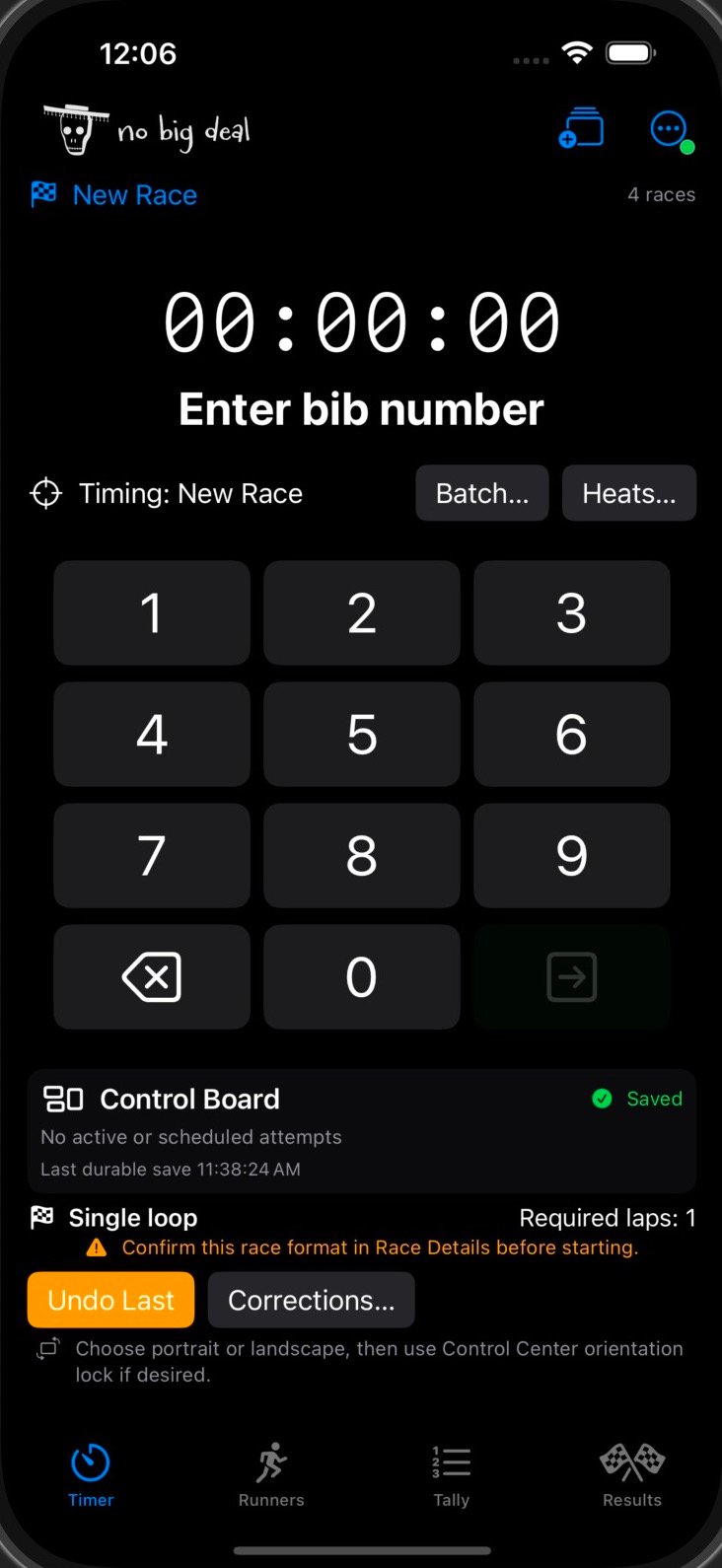
Record finish times for a single-distance race or lap splits for a timed event. Take a look at the controls for setup, timing, and corrections.
Timer
Enter a bib to record a finish or a completed lap, according to the race format. The app routes unique bibs to their races and confirms when an entry has been saved.
Race setup
Choose single-loop, fixed-lap, or timed-lap racing. Organize multiple races, set up heats, and give each start group its own start.
Corrections
Undo the latest entry, insert a missed crossing at its observed time, or review an entry submitted after a timed-race cutoff.
Different races. One timing toolkit.
Set up the timing around the way your event runs. These club races show the range of formats DB Timer can handle.
One race · One distance
Time a single-distance race from one common start. Each runner’s finish crossing produces an elapsed time and a place.
Single-loop format · Common start
Multiple races · Multiple starts
Keep each distance in its own race and start the groups independently. Enter bibs at a shared finish line and review results for each race.
Separate races · Independent starts
Multiple races · Multiple heats
Organize runners into named heats within their races. Start each heat when it is ready, then compare elapsed times within the same race.
Named heats · Race-specific results
Multiple time limits · Counted laps
Give each timed race its own duration. Count full laps through its cutoff, preserve splits, and break lap-total ties by elapsed time at the last counted lap.
Timed-lap format · Lap totals and splits
Race-day tools
Timer’s Undo Last follows the most recent operator action across races. Review a wrong entry without first changing the selected race.
View the top three men and women for each race. Distance races rank by elapsed time. Timed races rank full laps first, then elapsed time.
Starts and accepted crossings are saved locally before success feedback. The control board shows save health and the latest durable save.
Export a backup of the meet, preview a restore, and recover saved timing sessions after reopening the app. Backups retain timing events and correction history.
Confirm a close repeat entry, insert a missed crossing, or accept or reject a late submission. Corrections keep the operator, reason, and original evidence.
Record races without an internet connection, then export results as CSV. Keep runner details, lap totals, elapsed times, and places ready for review.
Inspired by the Dusty Bottoms Trail Runners’ welcoming, light-hearted approach to running. A little organization for a good day on the trail.
Meet Dusty Bottoms Trail RunnersA few good questions
Use a single-loop race for one finish crossing, fixed laps for a set lap count, or timed laps for the most full laps within a time limit. Multiple races and named heats can have independent starts, with standings calculated for each race.
DB Timer is preparing for club beta testing. Public App Store availability, pricing, and a release date have not been announced. See tester information for installation details.
The current app targets iPhone and iPad running iOS or iPadOS 18.1 or later. Test the device you intend to use before race day.
Yes. Races and heats have independent starts. The Timer screen routes a unique bib to its race, so runners from different active races can share the lap line. Use unique bibs across the event for the simplest entry workflow.
Each full lap recorded at or before that race’s cutoff counts. More laps place higher. With equal lap totals, the runner who completed their last counted lap in less elapsed time places higher. Men’s and women’s places are calculated for each race.
The app records the time when you submit the bib. Entries after the timed-race cutoff are saved for review and excluded from standings. An operator can accept a crossing using its observed time within the race window or reject it, with a reason and an audit record.
Yes. Entering the same bib within 60 seconds asks for confirmation. Use Corrections for an earlier missed crossing so its observed time is preserved. Undo Last on the Timer screen follows the latest operator action across races.
Club beta
Visit the tester hub for installation help and the current field-test plan.